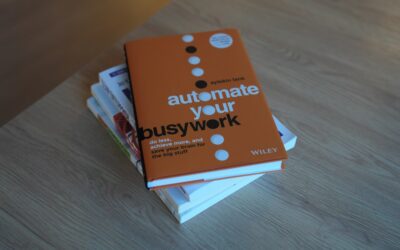

Feeling Stretched Thin? Here’s Why Automation Matters Now
If you are juggling endless tasks, missing small details, or feeling like your to-do list grows faster than you can tackle it, you are not alone. Work is moving quicker than ever, and the gap between what we want to do and what we can realistically deliver is widening. That is exactly where automation steps in. With the right approach, automation helps you reclaim time, reduce errors, and scale your results without burning out. In this guide, you will learn why automation matters and get a practical roadmap to get started confidently.
What Is Automation, Really?
Automation is the practice of using rules, triggers, and technology to complete tasks with minimal human effort. Think of repetitive steps—sending follow-up emails, moving files, logging data, routing approvals—that happen the same way every time. Automation handles the routine so you can focus on strategy, creativity, and relationships. It is not about replacing people; it is about freeing people to do the work that truly moves the needle.
There are many flavors of automation:
- Workflow automation: Moves information between tools and teams based on clear rules and triggers.
- Marketing automation: Sends targeted messages, nurtures leads, and personalizes campaigns at scale.
- Sales automation: Captures leads, updates CRM records, and schedules follow-ups automatically.
- Operations automation: Standardizes processes like inventory updates, order routing, and notifications.
- HR and finance automation: Streamlines payroll, approvals, onboarding, and expense management.
In short, automation is a force multiplier. It turns repeatable work into a reliable system, so your best ideas get the time and attention they deserve.
Why Automation Matters More Than Ever
Here is why leaders, teams, and solo professionals embrace automation today:
- Time savings: Automation takes care of routine steps so you can focus on high-value work.
- Accuracy: Automated tasks happen the same way every time, reducing costly errors.
- Scalability: With automation, you can grow output without adding headcount linearly.
- Speed: Faster handoffs and instant triggers mean customers get responses sooner.
- Visibility: Automation tools often log activities and status, improving reporting and compliance.
- Morale: People enjoy work more when repetitive tasks are handled by automation.
In a world of data overload and constant context switching, automation brings structure, momentum, and predictability to your day.
Where to Use Automation: Practical, Real-World Examples
You do not need to automate everything. Start where automation will have a clear, meaningful impact.
Marketing
- Use automation to send welcome emails when someone subscribes, and drip helpful content over two weeks.
- Tag leads based on behavior and let automation personalize offers accordingly.
- Schedule social posts, and let automation recycle evergreen content.
Sales
- Trigger a follow-up sequence when a prospect books a demo; automation confirms, reminds, and sends post-call notes.
- Use automation to score leads and route hot opportunities to the right rep instantly.
- Automatically log emails and calls to the CRM, keeping records accurate with automation.
Operations
- Set up automation to create tasks when orders are placed, assign ownership, and alert stakeholders if deadlines slip.
- Use automation to keep inventory counts and purchase orders in sync.
- Standardize approvals with automation so nothing gets stuck in inboxes.
Finance and HR
- Launch onboarding checklists automatically when an offer is accepted; automation can schedule orientation and collect documents.
- Use automation to route expenses to managers, flag exceptions, and export summaries to accounting.
- Set automation to remind teams about timesheets and compliance training.
Customer Support
- Prioritize tickets with automation based on keywords, SLAs, or customer tiers.
- Trigger proactive updates when a known issue is resolved; automation keeps customers informed.
- Escalate urgent cases automatically so response times stay tight with automation.
Personal Productivity
- Use automation to move meeting notes into your task manager with deadlines.
- Set up automation to rename, tag, and file documents consistently.
- Automate calendar blocks for focus time so priorities do not slip.
How to Get Started with Automation in 7 Steps
- Identify repeatable tasks. Spend a week noting every task you repeat. If it is frequent, rules-based, and low risk, it is a candidate for automation.
- Pick one high-impact process. Choose a workflow where automation will save at least an hour a week or reduce errors that frustrate your team.
- Define success upfront. Clarify what good looks like: time saved, error rate reduction, or faster response time. Tie automation to measurable outcomes.
- Choose the right tool. Start with a user-friendly platform that integrates with your systems. Simplicity helps ensure automation sticks.
- Map the workflow. Write down the trigger, steps, exceptions, and approvals. A clear map keeps automation precise and reliable.
- Pilot with a small group. Test your automation with willing users, gather feedback, and iterate before rolling out broadly.
- Launch and monitor. Set alerts, review logs, and track KPIs so your automation improves over time.
Choosing Automation Tools: A Quick Checklist
Good tools make automation easier to adopt and scale. Use this checklist to evaluate your options:
- Integrations: Does it connect to your CRM, email, files, and chat apps so automation can flow end-to-end?
- Ease of use: Can non-technical users build and maintain automation without heavy training?
- Governance: Can you set roles, approvals, and audit logs for controlled automation?
- Scalability: Will it handle higher volumes and more complex automation later?
- Security: Is data encrypted and compliant with your policies so automation does not create risk?
- Support and community: Are there templates, guides, and responsive help to speed up automation builds?
Build Your First Automated Workflow: Three Clear Examples
Example 1: Lead Capture to First Meeting
When someone fills out your website form, automation can create a new contact in your CRM, send a personalized email, assign a rep, and propose calendar slots. If the prospect clicks a time, your automation confirms the meeting, shares an agenda, and creates internal tasks. The result: every lead gets a fast, consistent response without manual wrangling.
Example 2: New Hire Onboarding
After HR marks an offer as accepted, automation can kick off account provisioning, share a welcome packet, schedule orientation, and notify managers of week-one milestones. Use automation to ensure laptops are ready, access is granted, and introductions are scheduled. Your new colleague feels supported from day one.
Example 3: Customer Feedback Loop
When a customer submits a survey, automation can tag sentiment, route detractors to support, and send promoters a thank-you with a referral prompt. A weekly digest, created by automation, summarizes trends and action items so the team closes the loop on insights quickly.
Measure What Matters: Proving ROI from Automation
To build momentum, show clear wins from your automation efforts. Track a small set of meaningful metrics:
- Time saved: Minutes per task before and after automation.
- Error rate: Data accuracy or rework needed pre- and post-automation.
- Cycle time: How long it takes to move from trigger to completion with automation.
- Throughput: Number of completed tasks as automation scales.
- Customer impact: Response times, satisfaction scores, and renewals influenced by automation.
- Team sentiment: Surveys on workload and clarity since adopting automation.
Wrap results into a simple case study: the problem, the automation you built, and the impact. Share it internally to fuel adoption.
Governance, Security, and Change Management
As automation grows, establish guardrails so your systems remain safe and predictable.
- Ownership: Assign a process owner and a builder for each automation. Clarify who updates it.
- Documentation: Keep a living catalog of your automation flows, triggers, and dependencies.
- Access control: Use least-privilege access so automation only touches what it needs.
- Testing: Maintain a sandbox to test automation changes before production.
- Monitoring: Set alerts for failures and thresholds so automation issues are caught early.
- Training: Teach teams how to request, use, and iterate on automation safely.
Common Pitfalls and How to Avoid Them
- Automating chaos: If a process is broken, automation will just make the chaos faster. Fix the workflow first.
- Overcomplication: Start simple. Layer complexity into your automation only after proving value.
- Ignoring exceptions: Document edge cases. Build graceful fallbacks so automation does not stall.
- Set-and-forget: Review your automation quarterly as tools, policies, and teams evolve.
- Tool sprawl: Consolidate platforms to keep automation manageable and secure.
- No metrics: If you do not measure, stakeholders will not see automation value. Track outcomes.
Advanced Tips: Human-in-the-Loop, AI, and Smart Triggers
The best automation balances speed with human judgment. Build pauses where approvals or reviews are needed, then let automation carry the baton again. Use triggers that reflect real business events—like a deal changing stage or a shipment landing—so your automation runs at the right time. If your tools include AI, apply it carefully for classification, routing, or summarization, and keep humans accountable for final decisions in sensitive workflows.
Your 30-60-90 Day Automation Plan
Days 1–30: Find and Prove
- List 10 repetitive tasks; select one for your first automation.
- Define success metrics and map the steps.
- Build a simple automation and pilot it with a small group.
Days 31–60: Expand and Standardize
- Roll out the first automation more broadly.
- Document governance and create a shared template.
- Launch a second automation targeting a different team or tool.
Days 61–90: Scale and Showcase
- Consolidate tools and permissions to manage automation centrally.
- Publish two impact stories highlighting time saved with automation.
- Set a quarterly review cadence to optimize automation continuously.
How to Talk About Automation with Your Team
People sometimes worry that automation will replace their roles. Frame the conversation around removing busywork so they can do more meaningful work. Invite them to nominate tasks for automation, and celebrate the wins publicly. When people see that automation eliminates friction and helps them succeed, adoption accelerates naturally.
Quick Wins You Can Tackle This Week
- Set an out-of-office workflow: when you are unavailable, automation reroutes requests and sets expectations.
- Create calendar handoffs: after a meeting, automation generates recap notes and action items for attendees.
- Build a content pipeline: new assets trigger approvals, versioning, and publication through automation.
- Streamline approvals: standard forms route to the right approvers with reminders via automation.
- Centralize reporting: weekly automation compiles metrics from multiple tools into one digest.
The Bottom Line
Automation is not a luxury—it is a practical way to win back time, reduce mistakes, and scale what works. Start small, prove value, and expand with clear goals and guardrails. With the right automation, your team can move faster, deliver better experiences, and feel less overwhelmed.
Ready to Get Started?
Pick one repeatable process today and map the steps. Choose a simple tool, build a basic automation, and measure the outcome in two weeks. If you want a personalized plan, audit your workflows with your team and identify three high-impact automation opportunities. The sooner you start, the sooner automation starts working for you—freeing your time for the work only you can do.
💬 Contact Us
Have a question or want to learn more? Send us a message!