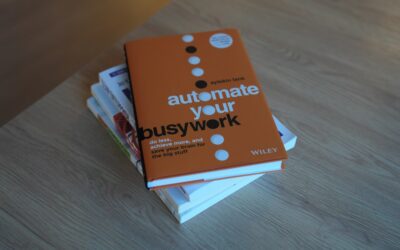

Welcome to The Complete Automation Handbook
Imagine waking up to a world where the repetitive parts of your job have already been handled while you slept. Emails sorted, reports compiled, tasks assigned, updates posted. That’s the power of automation, and it’s closer to your day-to-day reality than you might think.
This handbook demystifies automation for busy professionals, founders, and teams who want to work smarter, not harder. Whether you’re just starting out or leveling up an existing setup, you’ll find clear explanations, practical tips, and real examples you can apply right away.
By the end, you’ll know how to choose the right tools, prioritize the best opportunities, and build a roadmap that scales with your goals—without drowning in complexity or buzzwords.
What Is Automation?
At its core, automation is the use of technology to execute tasks with minimal human intervention. It reduces manual effort, increases consistency, and frees your time for strategic, creative work. Think of it as a digital teammate that never gets tired, forgetful, or bored.
There are many flavors, each suited to different needs. Understanding them helps you pick the right solution for your context and maturity level.
- Rules-based automation: If X happens, do Y. Great for repetitive, predictable workflows like routing leads or tagging tickets.
- Workflow automation platforms: Drag-and-drop tools that connect apps and orchestrate multi-step processes across teams.
- Robotic Process Automation (RPA): Software “robots” that mimic human clicks and keystrokes to handle legacy systems without APIs.
- AI-driven orchestration: Systems that classify content, summarize messages, or extract data to augment decision-making.
- Event-driven integrations: Triggers and webhooks that keep systems in sync in near real time.
Why Automation Matters Today
Markets are moving faster, margins are tighter, and customer expectations are sky-high. You need a way to do more with the same (or fewer) resources. That’s where automation shines: it scales good processes, eliminates busywork, and boosts quality.
- Speed: Shorten cycle times from days to minutes.
- Consistency: Reduce errors and rework by executing the same way, every time.
- Cost control: Lower the effort per task so your team can focus on higher-value work.
- Scalability: Handle spikes in volume without scrambling for headcount.
- Visibility: Gain clear logs and dashboards for governance and compliance.
- Employee experience: Remove repetitive tasks that drain morale.
Use Cases Across Functions
Marketing and Sales
From lead capture to nurturing and handoff, well-designed automation keeps your funnel flowing and your data clean. It supports personalized outreach at scale without losing the human touch.
- Auto-qualify leads based on form responses and behavior, then assign to the right rep.
- Trigger timely follow-ups after webinars, trials, or downloads to improve conversion.
- Sync CRM fields across tools to prevent duplicate records and dropped handoffs.
Customer Support
Customers want quick, accurate help. Smart routing, triage, and proactive updates reduce resolution times and make agents’ lives easier.
- Classify incoming tickets by topic and priority, then route to the correct queue.
- Send knowledge base suggestions when common issues appear in messages.
- Notify customers automatically when ticket status changes or approvals are needed.
Operations and Supply Chain
Operational excellence thrives on reliable processes, real-time updates, and fewer handoffs. The right guardrails make everything more predictable.
- Reorder inventory when thresholds are reached and alert stakeholders instantly.
- Match purchase orders to invoices and flag discrepancies for review.
- Generate and distribute daily production or fulfillment reports without manual effort.
Finance and HR
Back-office teams run on precision. Structured workflows, approvals, and audit trails help reduce risk and speed up cycles.
- Route expense reports for approvals based on amount and department.
- Onboard new hires with checklists that create accounts, assign training, and collect documents.
- Close the books faster by triggering reconciliations and reminders on a set schedule.
IT and Security
IT needs reliable, compliant processes without bottlenecks. Orchestration bridges legacy systems and modern tools to keep everything consistent.
- Provision access when a manager approves a request, then log the change for audits.
- Quarantine suspicious endpoints and notify stakeholders when alerts cross thresholds.
- Back up critical data and verify integrity with scheduled checks and reports.
Choosing the Right Approach
Not every problem needs the same solution. Before building anything, ask: What’s the process? Where does the data live? How often does it change? Who owns it? Your answers will guide the stack you choose.
- APIs and native integrations: Best when your apps already talk to each other cleanly and reliably.
- Workflow platforms: Ideal for cross-tool orchestration and non-technical builders who need guardrails.
- RPA: Useful when you’re stuck with legacy systems that lack APIs and you need to emulate user actions.
- Custom services: Great for unique, high-value processes that warrant engineering investment.
- AI add-ons: Consider when tasks involve classification, summarization, or extraction from unstructured text.
The Automation Lifecycle
Treat your program like a product. A thoughtful lifecycle makes outcomes predictable and keeps stakeholders aligned.
- Discover: Identify repetitive, rules-driven work. Estimate impact in hours saved, error reduction, and customer outcomes.
- Prioritize: Balance effort vs. value. Quick wins build momentum and credibility.
- Design: Map the current process, define triggers, inputs, business rules, exceptions, and approvals.
- Build: Start small with a minimal viable workflow. Use clear naming, comments, and reusable components.
- Test: Use real-world edge cases. Validate data accuracy and ensure human overrides for exceptions.
- Deploy: Roll out in phases. Communicate changes and provide easy feedback channels.
- Monitor: Track performance, errors, and user satisfaction. Instrument logs and alerts.
- Optimize: Retire steps that no longer add value. Iterate with stakeholder input.
- Govern: Define ownership, access, and change control. Document everything for continuity.
Practical Tips to Start
You don’t need to overhaul your entire operation. Start with low-risk, high-impact processes and expand as you learn.
- Time a task: Measure how long recurring work takes today. Multiply by frequency to size the opportunity.
- Create a wish list: Ask each team member for two painful tasks they’d gladly never do again.
- Standardize inputs: Use consistent forms, fields, and naming to reduce ambiguity.
- Limit exceptions early: Build guardrails before handling rare edge cases.
- Set SLAs: Define response and completion times so you can measure improvement.
- Start sandboxed: Test in a non-production environment with dummy data.
- Design for handoff: Ensure another teammate can understand and maintain your workflows.
- Write playbooks: Document triggers, owners, steps, and rollback procedures.
- Make it visible: Share dashboards showing time saved and error rates to build support.
- Plan the human loop: Decide when people review, approve, or override outcomes.
Metrics That Matter
What gets measured gets managed. Choose metrics aligned to business outcomes, not vanity numbers.
- Time saved: Hours or minutes reclaimed per cycle.
- Error rate: Defects or rework per volume processed.
- Throughput: Items completed per time period.
- Cycle time: Start-to-finish duration before and after changes.
- Adoption: Percentage of tasks routed through your new workflows.
- Customer impact: NPS, CSAT, or retention changes tied to faster, more reliable processes.
Common Pitfalls and How to Avoid Them
Great outcomes come from disciplined habits. Steer clear of these frequent mistakes to keep your program resilient.
- Automating chaos: If a process is broken, fix it before you scale it. Otherwise you multiply problems.
- Ignoring data quality: Garbage in, garbage out. Validate inputs and handle missing fields gracefully.
- One-person silos: Avoid single points of failure. Document and cross-train.
- Skipping change management: Communicate early, explain the “why,” and provide training.
- Overengineering: Start simple. Fancy doesn’t equal effective.
- No monitoring: Build alerts and logs before go-live, not after.
Real-World Examples
Seeing how others apply these principles helps spark ideas. Here are three scenarios that show what good looks like—and what to watch for.
Scenario 1: Lead-to-cash streamlining — A mid-size SaaS company connected forms, CRM, and billing so qualified leads auto-created opportunities with the right products pre-selected. Reps got instant tasks, managers saw clean forecasts, and finance received accurate contract details. Result: shorter sales cycles, fewer billing errors, and higher rep productivity.
Scenario 2: Proactive support communications — A hardware firm tagged cases by product version and triggered a status update whenever engineering pushed a fix to QA. Customers received timely notes, and frontline agents were spared manual outreach. Result: higher CSAT and a measurable drop in “any update?” tickets.
Scenario 3: Accounts payable optimization — A retail chain used invoice capture to extract vendor, amount, and due date, then routed approvals based on spend thresholds. Late fees disappeared, approvers got concise summaries, and audits were smoother thanks to complete trails.
Tools and Platforms
The best stack is the one that fits your needs and skills. Start with what you already own, then add specialized tools where they clearly pay off.
- Built-in features: Many CRMs, help desks, and project tools include triggers, rules, and schedules—use them first.
- Integration hubs: Drag-and-drop connectors for cross-app workflows without heavy engineering.
- RPA suites: Useful for desktop and legacy apps that lack modern integration points.
- Data pipelines: Move, transform, and validate data across warehouses and apps.
- AI utilities: For classification, summarization, and entity extraction to reduce manual review.
The Future of Automation
The line between rules and intelligence is blurring. Expect smarter assistants that understand intent, propose next steps, and adapt as conditions change—while humans set goals and guardrails. Governance will matter more than ever: explainability, access control, and ethical use aren’t nice-to-haves; they’re foundational.
Putting It All Together
You don’t need a massive budget to get started. Pick one high-friction process, measure it, design a simple flow, and involve the people who do the work every day. Celebrate the win, then stack the next one on top.
Ready to reclaim time, cut errors, and scale what works? Start your first project this week: list five repetitive tasks, choose one, and map the steps. Then build the smallest version that delivers value and share the results. Momentum begins with a single, well-chosen step—your complete journey starts now.
💬 Contact Us
Have a question or want to learn more? Send us a message!