Automated Internal Linking in WordPress: Tools, Workflows, and Measurable SEO Wins
If you’ve ever spent a Saturday afternoon weaving links between posts, you know internal linking is powerful…and painfully manual. The good news is you can get the best of both worlds: precision and scale. With smart internal linking automation, you can grow traffic, surface hidden gems, and strengthen content clusters—without burning out. In this guide, we’ll unpack practical workflows, recommended tools, and the exact metrics to watch so your WordPress SEO improves in weeks, not months. Along the way, you’ll pick up battle-tested automation tips to keep control while you scale.
Why Internal Linking Matters for WordPress SEO
Internal links guide users and search engines to your most valuable content. When you structure links intentionally, you create a clear roadmap that strengthens topical relevance and improves crawl efficiency. The result is better WordPress SEO and more consistent rankings across your site—not just on your best-performing pages. A thoughtful network supports content clusters, passes authority to deeper resources, and helps new posts get discovered faster. With the right internal linking automation, you can expand that network in minutes, not months, while keeping user experience front and center.
Quick benefits you can expect
- Faster discovery and indexing of new posts
- More equitable distribution of internal authority to priority pages
- Stronger topical signals across content clusters
- Higher user engagement through relevant next-click paths
- Reduced orphan pages dragging down your overall WordPress SEO
What Internal Linking Automation Can and Cannot Do
Internal linking automation is a force multiplier, not a set-and-forget magic wand. It’s ideal for scaling obvious connections, maintaining link hygiene, and enforcing consistent rules across your site. But it still needs human strategy. Use these automation tips to stay in control:
- Do: Automate links for evergreen relationships (e.g., glossary terms to definitions, pillar pages to subtopics within content clusters).
- Do: Enforce caps on links per post and per keyword to avoid clutter and dilution.
- Do: Rotate anchor variations to prevent over-optimization.
- Don’t: Let tools create links in navigation, author bios, or image captions—keep it in the main content.
- Don’t: Stuff exact-match anchors just because a rule allows it. Context beats rigidity for WordPress SEO.
Start with Strategy: Build Content Clusters Before You Automate
Automation is only as good as the map you give it. Define your content clusters first, then let the rules mirror your structure. This step ensures internal linking automation reinforces topical authority instead of creating random cross-links.
- Map your pillars and spokes: Identify 5–10 pillar pages, then list related subtopics. Each spoke should answer a specific question tied to the pillar.
- Assign primary targets: For each subtopic, choose one destination page. Avoid cannibalization by making every page the best answer to a unique query.
- Create an anchor bank: Draft 5–10 anchor variations per target (exact match, partial, synonyms, and natural phrases). This powers safer automation.
- Define exclusions: Exclude privacy pages, pagination, search results, and utility content. That keeps WordPress SEO signals clean.
Choosing the Right Tools for Automated Internal Linking in WordPress
There are several trustworthy approaches to internal linking automation in WordPress. The best setup blends a plugin that places links with a crawler or SEO suite that finds opportunities and gaps. Use these criteria and automation tips when evaluating options.
Plugin-based automation
Plugins can place links as you publish or retroactively across existing posts. Look for:
- Rule control: Set caps per post, per keyword, and per target. Avoid linking to a page more than once from the same article.
- Context filters: Exclude headings, lists, and the first 100 characters if you want a more natural feel.
- Anchor variation: Rotate multiple anchors to support healthy content clusters without over-optimization.
- Reporting: Page-level link counts, new vs. removed links, and orphan detection.
SEO suite suggestions
Many SEO tools suggest internal links based on keyword and topic similarity. While not fully automatic, they are great companions to internal linking automation for editorial QA and for strengthening WordPress SEO where it matters most.
Crawler-assisted planning
Use a site crawler to identify pages with too few incoming links, deep pages buried beyond three clicks, and weak content clusters. Feed these findings into your plugin’s rules so automation closes real gaps instead of adding noise.
A Step-by-Step Workflow to Automate Links Without Losing Control
Here’s a practical blueprint you can implement this week to make internal linking automation work smoothly.
- Audit your baseline: Capture current internal inlinks per URL, orphan pages, average crawl depth, and the top 50 pages you want to boost. Note their impressions, clicks, and average position. This gives you a before/after view of WordPress SEO performance.
- Build an anchor and target map: For each priority page, list 5–10 anchors and a set of source themes where those anchors naturally belong.
- Set automation rules: Cap at 3–5 new links per post, 1 link per target per post, and 1–2 exact-match anchors per 10 total anchors. Exclude utility pages and drafts.
- Pilot on a cluster: Choose one of your content clusters and roll out rules to 10–20 articles. Review outputs manually for context and tone.
- Roll out sitewide in waves: Expand to additional clusters weekly. Keep a change log with dates to align later with traffic and ranking shifts.
- QA and refine: Spot-check mobile, ensure no broken links, and verify you’re not linking to the same page multiple times on one post. Tweak caps or exclusions as needed.
- Maintain monthly: Add anchors for new content, retire anchors that underperform, and refresh rules when new topics enter your content clusters.
Anchor Text Strategy That Scales
Anchors tell both users and search engines what to expect. A scalable strategy supports internal linking automation and keeps WordPress SEO safe from over-optimization.
- Mix it up: Use exact match, partial match, synonyms, and natural phrases. Example: instead of only “email marketing guide,” also use “guide to growing your list,” “best email tactics,” and “how to improve email ROI.”
- Stay contextual: Place links where the topic is actually discussed. Don’t force anchors into unrelated paragraphs.
- Mind the length: Most anchors perform well at 2–5 words, but don’t fear longer, natural phrases when they read better.
- Avoid repetition: Link to a destination once per article. If you must add a second, use a distinct anchor and ensure it adds new value.
- Prioritize top-of-content: Early links tend to drive more clicks, helping both users and crawlers discover key pages faster within content clusters.
Internal Links for Different Content Types
Not all pages play the same role in your network. Tailor internal linking automation to content types so the journey feels natural and your WordPress SEO signals align with user intent.
- Pillars: Link out to subtopics and key how-tos. Encourage upward links from spokes to pillars with partial-match anchors.
- How-tos and tutorials: Link to prerequisites, definitions, and advanced next steps inside the same content clusters.
- Comparisons and reviews: Point to buying guides, setup resources, and category hubs.
- Glossary terms: Automate links from term mentions to dedicated definition pages and back to deep dives.
- News and updates: Funnel authority to evergreen explainers to keep ranking signals stable over time.
Measuring SEO Wins: What to Track and How to Attribute
Automation should produce visible, measurable wins. Tie your internal linking automation rollout to specific metrics so you can prove impact and iterate confidently.
- Coverage metrics: Orphan pages reduced, average internal inlinks per URL, and the share of posts with at least one link to a pillar.
- Engagement: Click-through rate on internal links, pages per session, and time on page for sources with new links.
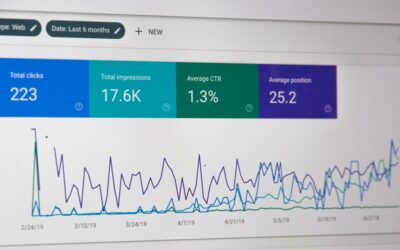
- Search performance: For each target page, monitor impressions, clicks, average position, and CTR. Watch for lift 2–6 weeks after rollout for WordPress SEO impact.
- Crawl health: Fewer deep pages (beyond three clicks), more frequent recrawls of updated targets, and faster indexation for new posts in your content clusters.
A simple way to attribute gains
- Create a holdout: Leave one cluster untouched for 30 days while automating another. Compare traffic, rankings, and engagement.
- Annotate changes: Record rollout dates, rule updates, and anchor bank changes. Align these with performance shifts.
- Track link velocity: Monitor how many new internal links you add per week. Keep growth steady to avoid volatility.
Quick numbers to set expectations
Let’s say you have 200 posts and add 5 relevant internal links per post over a month. That’s 1,000 new connections. If your key product guides go from 2 to 7 internal inlinks each, you can reasonably expect a 10–25% uplift in impressions within 4–8 weeks, with CTR improvements following as anchors and positions stabilize across your content clusters. While every site differs, measured, consistent linking often produces compounding WordPress SEO gains.
Advanced Automation Tips and Safeguards
Ready to push harder? Use these expert-level automation tips to keep internal linking automation sharp as your site scales.
- Cap per paragraph: Limit to one link per paragraph to preserve readability.
- Avoid same-page loops: Ensure tools never link a page to itself, a common automation hiccup.
- Respect recency: Favor links from fresh content to evergreen targets for faster discovery.
- Balance link equity: Don’t over-concentrate on one superstar page. Spread links across your top conversion assets within content clusters.
- Monitor anchor drift: Review top anchors monthly and retire those that feel spammy or redundant.
- Error hygiene: Scan for 404s and redirects, replacing or removing broken internal links promptly to protect WordPress SEO.
Common Pitfalls to Avoid
Even well-intentioned internal linking automation can go sideways. Watch for these issues and course-correct quickly.
- Over-optimization: Too many exact-match anchors can suppress performance. Diversify.
- Link stuffing: Walls of blue text read poorly. Keep to 3–5 automated links per post and add manual links only when they add real value.
- Irrelevant targets: If a link doesn’t help the reader, remove it—even if the tool thinks it fits your content clusters.
- Anchor repetition: Repeating the same anchor multiple times in one post looks unnatural and can backfire for WordPress SEO.
- Performance hits: Some plugins can slow down large sites. Audit site speed after enabling new rules.
Editorial Collaboration: Humans and Automation Together
Editors and writers remain crucial. Use automation to suggest and place links, then let humans polish context. Establish lightweight SOPs so every new piece strengthens your content clusters and overall WordPress SEO without lots of back-and-forth.
- Pre-publish checklist: One link to a pillar, one to a sibling subtopic, and one to a conversion asset.
- Post-publish pass: Approve or reject automated suggestions for tone and clarity.
- Monthly refresh: Retire outdated anchors and add new ones aligned with recent content.
Realistic Timelines and Expectations
Most sites see the first meaningful results 2–6 weeks after rolling out internal linking automation. Larger libraries may take 8–12 weeks as crawlers revisit and signals settle. Keep changes steady, avoid big spikes, and document everything. Your WordPress SEO improvements will compound if you sustain the process.
Your Next Steps
You don’t need a massive overhaul to start winning. Pick one priority topic, map its content clusters, and set up simple rules. Then layer in more anchors, sources, and targets as you go. With a few smart automation tips and consistent tracking, internal linking automation can quietly become your highest-ROI lever for sustainable growth.
Conclusion: Make Internal Links Your Always-On Growth Engine
Internal links are the connective tissue of your site. When you pair a clear cluster strategy with thoughtful internal linking automation, you boost discoverability, authority, and user experience all at once. Start small: build your anchor bank, pilot one cluster, and measure the lift. Then scale what works across your library. If you want compounding WordPress SEO gains without constant firefighting, make automation the backbone of your content clusters and keep optimizing with the automation tips you learned here.
Ready to put this into action? Choose a cluster, set your rules, and run a two-week pilot. Measure, iterate, and watch your internal links turn into measurable SEO wins.
💬 Contact Us
Have a question or want to learn more? Send us a message!