
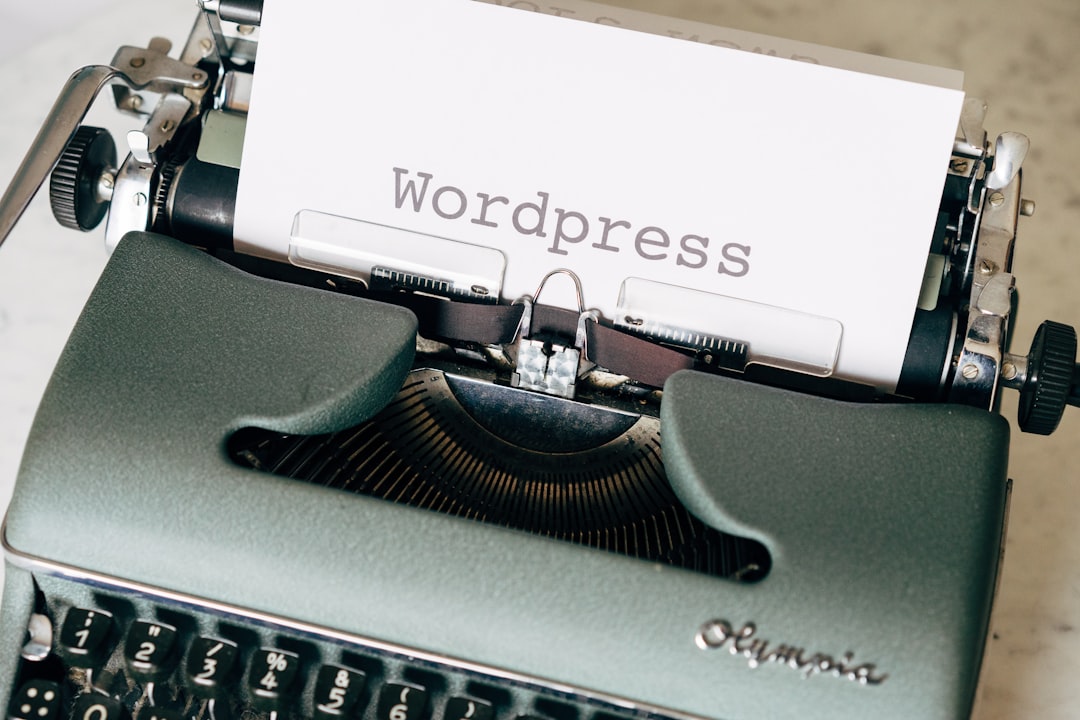
Want to Rank in 30 Days? Here Is the Plan
If you have ever wondered whether you can start a WordPress blog and see real traffic in just one month, the answer is yes. The catch is focus. With the right plan, the right habits, and a laser focus on the essentials, you can set up, publish, and rank on Google faster than most people think.
This guide is your step-by-step blueprint. It is designed for beginners and busy creators who want a straightforward approach, a clear blog setup checklist, and proven tactics that work in 2026. No fluff, no complicated tech. Just practical moves you can make today.
By the end, you will know exactly how to structure your site, how to approach WordPress SEO without overwhelm, and which daily actions to prioritize so your posts show up where it matters.
The 30-Day Plan at a Glance: Your Blog Setup Checklist
Before we dive deep, here is the high-level roadmap you will follow. Bookmark this blog setup checklist and refer to it daily:
- Pick a focused niche and define your audience pain points.
- Choose a memorable domain, fast hosting, and a lightweight theme.
- Configure essential settings, categories, and must-have privacy pages.
- Set up analytics and search console for data-driven decisions.
- Do quick-win keyword research to rank on Google for low-competition topics.
- Draft a simple content plan of 10 search-focused posts for the month.
- Publish consistently with a repeatable checklist for on-page optimization.
- Build internal links from day one and pursue easy external mentions.
- Improve speed and user experience as you go.
- Review performance weekly and iterate.
Use this blog setup checklist like a compass. It will keep you focused on the actions that move the needle and help you start a WordPress blog the smart way.
Step 1: Choose a Tight Niche and Reader Promise
Clarity beats cleverness. To start a WordPress blog that can gain traction quickly, define a narrow niche and a specific promise. For example, instead of a broad fitness blog, go with strength training for busy parents. Specific readers, specific problems, specific solutions.
Ask yourself: What quick wins can your readers achieve in the first week? What questions do they search before buying? The clearer your answers, the easier it is to rank on Google because you will create targeted content that aligns with intent.
- Pick a niche you can write about weekly for a year.
- List 10 recurring questions your audience asks.
- Define a transformation statement in one sentence: Who you help, with what, and by when.
Step 2: Foundation First — Hosting, Theme, and Clean Setup
Speed and stability matter from day one. When you start a WordPress blog, choose reliable hosting, enable SSL, and pick a fast, minimal theme. Avoid bloated designs and demo content that slow you down.
- Use a simple, mobile-first theme with good accessibility.
- Limit plugins to essentials: caching, image optimization, security, redirects, and SEO.
- Create a logical structure: Home, About, Blog, Contact, plus key categories.
A clean foundation reduces technical debt and improves crawlability, which supports your goal to rank on Google quickly.
Technical Basics That Help You Rank
- Enable a secure connection with HTTPS and check that all URLs redirect to it.
- Generate an XML sitemap and make sure search engines can access it.
- Fix basic site health issues early: broken links, missing titles, or duplicate pages.
These are simple wins that align with solid WordPress SEO principles and help search engines trust your site.
Step 3: Essential Settings and Smart Plugins
Dial in the basics once and avoid rework later. The right settings support WordPress SEO and a better reader experience.
- Set permalinks to a clean structure using only the post name.
- Create categories that mirror your content pillars; avoid deep nesting.
- Write concise, human-friendly titles and taglines that state your blog’s promise.
- Use a reputable SEO plugin to manage titles, meta descriptions, sitemaps, and schema.
- Add a simple contact form and privacy policy page to build trust.
Spend 30 minutes to review each setting with a beginner-friendly lens. These small decisions compound into stronger WordPress SEO over time.
Step 4: Keyword Research for Fast Wins
Your early momentum will come from publishing posts that target low-competition queries with clear intent. Focus on problems that need answers now. Combine question-based keywords with narrow modifiers like location, use-case, budget, or experience level.
- Look for titles that include words like best, vs, how to, checklist, template, and ideas.
- Study the top results and identify what is missing: a table, clear steps, examples, or updated info.
- Group similar keywords into one comprehensive post rather than publishing dozens of thin pages.
This approach supports WordPress SEO while making it more likely your content will rank on Google in the first month.
Step 5: Create a Simple Content Blueprint
With research in hand, map your next 10 posts. Aim for a mix of evergreen tutorials, comparison posts, and quick-win answers. When you start a WordPress blog, consistency matters more than perfection. Promise a cadence you can keep.
- Post 1: A flagship guide that defines your niche and your approach.
- Posts 2–4: How-to tutorials that solve immediate problems.
- Posts 5–6: Comparisons or lists that help readers choose.
- Posts 7–9: Tool roundups or templates for quick results.
- Post 10: A case study or story that builds credibility.
Step 6: Publish 10 High-Quality Posts in 30 Days
Think depth, clarity, and usefulness. Write to one person, not a crowd. Use short paragraphs, subheadings, and concrete examples. Make each post the best quick answer on the page. This is the heart of WordPress SEO in practice.
- Open strong: State the problem and the outcome in the first 3 lines.
- Break down steps, add examples, and explain why each step matters.
- Use original angles or data, even if small: your process, checklists, or mini case studies.
- End with a concise summary and a clear next action.
Publishing at this quality and cadence gives you 10 chances to rank on Google within a month while building a helpful library for your readers.
On-Page Optimization Checklist for Every Post
- One primary keyword per post with a clear search intent.
- Descriptive title and meta description that promise value.
- Use the primary keyword in the first 100 words and naturally in subheads.
- Short, descriptive URL that matches the topic.
- Internal links to and from related posts to distribute authority.
- At least one useful, original image with descriptive alt text.
- Fast-loading media and compressed images for a better experience.
Apply this list every time and your WordPress SEO will improve post by post, increasing your odds to rank on Google sooner.
Step 7: Build Authority and Earn Links the Easy Way
In the first month, focus on relationships over cold outreach. Share your posts where your audience already hangs out: niche communities, small newsletters, and helpful comment sections. Offer a quick tip or summary and link to your post only when it adds clear value. Over time, these genuine interactions turn into mentions, citations, and links.
- Publish unique tips on social platforms with a link to your post.
- Offer a brief quote or tip to small newsletters in your niche.
- Create a simple resource that others want to reference.
Step 8: Speed, UX, and Core Web Vitals
Search engines and readers prefer sites that feel fast and easy. Optimize for quick loading and simple navigation. This is a practical part of WordPress SEO that many skip.
- Compress images and serve appropriately sized versions.
- Minimize plugins and avoid heavy page builders when possible.
- Use concise navigation and a clear category structure.
- Test your pages on mobile first; fix anything that feels slow or clunky.
Step 9: Track, Learn, and Iterate Weekly
Data-driven iteration is your accelerator. Check metrics weekly: impressions, clicks, average position, top queries, and time on page. When a post gets impressions but low clicks, improve the title and description. If traffic stalls, add a missing section or a better example. These small, frequent improvements compound and help you rank on Google faster.
- Update one post per week with new insights or clearer steps.
- Add internal links from newer posts to older ones as your library grows.
- Expand winners with a new section or a downloadable checklist.
A 30-Day Publishing Calendar You Can Follow
Use this simple plan as a starting point. Adjust the pace to fit your schedule.
- Day 1: Niche and audience clarity. Draft your value statement.
- Day 2: Domain, hosting, and theme. Basic pages and navigation.
- Day 3: Essential settings, analytics, and sitemap. Create your blog setup checklist doc.
- Day 4: Keyword research and outline your first three posts to start a WordPress blog with purpose.
- Day 5: Write and publish Post 1. Share it in one relevant community.
- Day 6: Write Post 2; add internal links to Post 1.
- Day 7: Publish Post 2; outline Posts 3 and 4.
- Days 8–9: Write and publish Post 3. Improve Post 1’s title and intro.
- Days 10–11: Write and publish Post 4. Add a resource section to Post 2.
- Days 12–13: Write outlines for Posts 5 and 6; refine keyword angles for WordPress SEO alignment.
- Days 14–16: Publish Post 5; add internal links across all posts.
- Days 17–19: Publish Post 6; create a short, shareable tip thread.
- Days 20–22: Draft and publish Post 7; improve CTAs and summaries.
- Days 23–24: Draft Post 8; update Post 3 with a missing section.
- Days 25–26: Publish Post 8; review performance and adjust targets to help rank on Google.
- Days 27–28: Draft and publish Post 9; add FAQs to top posts.
- Days 29–30: Publish Post 10; create a roundup page linking the best content.
Common Pitfalls to Avoid
Even a solid plan can stall if you fall into these traps. Here is what to watch for when you start a WordPress blog:
- Over-customizing your theme instead of publishing content.
- Targeting only high-volume keywords with fierce competition.
- Publishing thin posts without unique insights or examples.
- Ignoring internal links, which weakens topical relevance.
- Chasing every trend and losing focus on your audience’s core problems.
Stay focused on quality, consistency, and the fundamentals of WordPress SEO. Your future self will thank you.
Your 10-Point Blog Setup Checklist (Print This)
Use this quick-reference blog setup checklist whenever you prepare a new post or update the site:
- Clear topic and search intent identified.
- Concise, compelling title and meta description.
- Short URL with primary keyword.
- Helpful outline with scannable subheads.
- Original examples, steps, and takeaways.
- One strong image with descriptive alt text.
- Two to four internal links added and one call to action.
- Fast loading on mobile and desktop.
- Proofread for clarity, accuracy, and tone.
- Share in one relevant channel and monitor performance.
This blog setup checklist keeps you aligned with your goals. Use it to start a WordPress blog that is consistent, focused, and easy to maintain.
Frequently Asked Questions
How long until I see results?
Some pages can gain impressions within days, especially if you target specific, low-competition queries. Ranking milestones vary, but a focused plan can produce early wins in 30 days.
How many posts should I publish per week?
Three per week is a powerful early cadence. If that is too much, publish one solid post weekly and optimize relentlessly.
Do I need expensive tools?
No. You can do effective research using free tools and your own SERP analysis. Focus on what readers need and how you can deliver it faster and clearer than anyone else.
Your 30-Day Launch Mindset
Success in the first month is about doing less, better. Keep your scope tight, your editing ruthless, and your focus on serving the reader. When you start a WordPress blog, the goal is not to be everywhere; it is to be undeniably useful where it counts.
Conclusion: Start Now and Build Tomorrow’s Traffic
You do not need a perfect site to win. You need a plan, momentum, and attention to the basics. Use the roadmap above, lean on the blog setup checklist, and publish helpful content that solves real problems. If you follow the steps here, you will build a site engineered for growth, guided by smart WordPress SEO, and positioned to rank on Google faster than you thought possible.
Ready to make it real? Pick your niche, outline your first three posts, and start a WordPress blog today. Come back to this guide each day for the next step, and in 30 days you will have a lean, fast, and useful blog that readers and search engines trust.
💬 Contact Us
Have a question or want to learn more? Send us a message!